Crop Budget Analysis That Reflects Your Real Operation
Enterprise crop budgets shouldn't be a lump-sum guess. TG360 lets you build budgets field by field — with your inputs, your rotations, your rent — and see the break-even for every crop before the planter rolls.
Plan the crop before you plant it
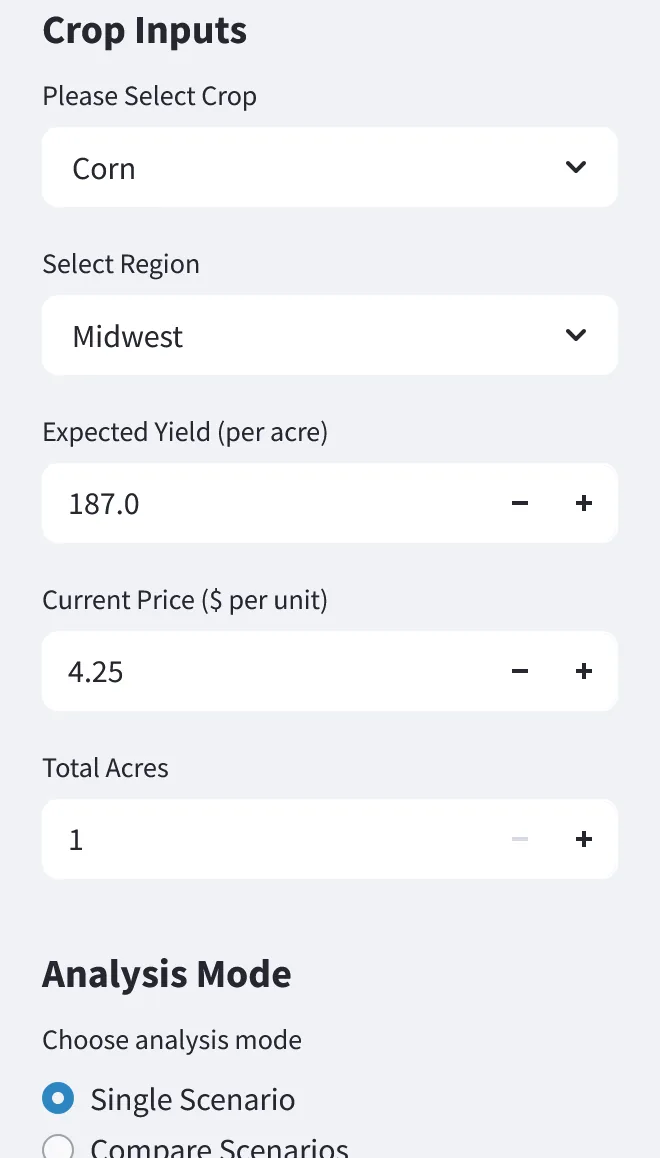
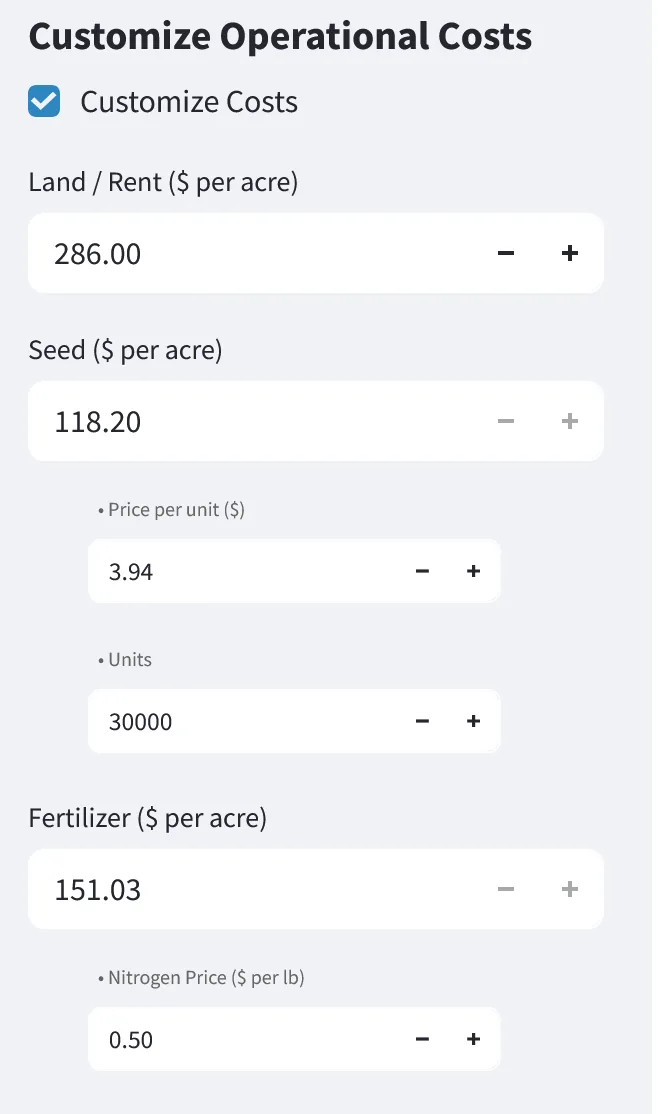
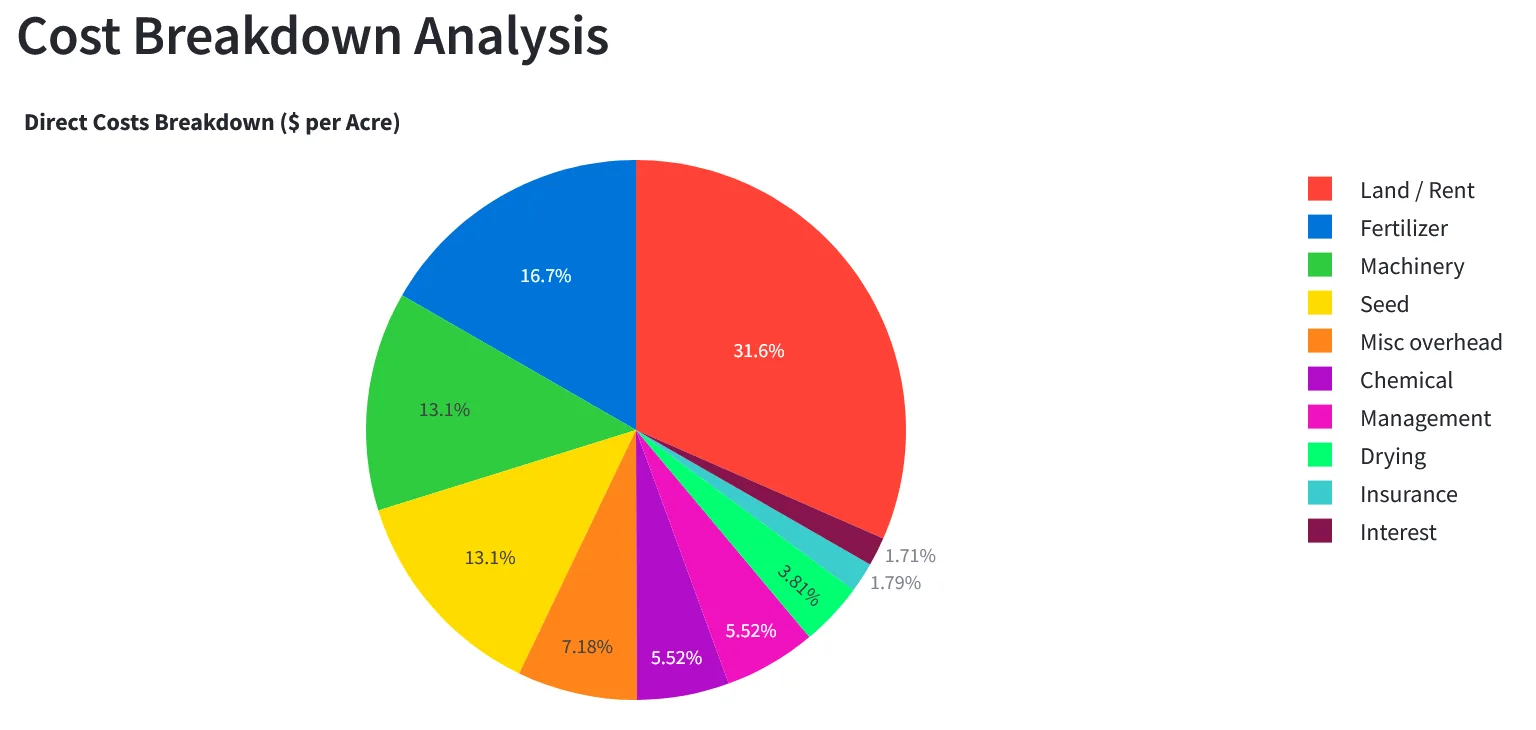
Set seed, fertilizer, chemical, fuel, and labor at the level you actually manage — by field or by crop group. Adjust yield targets and cash prices, and watch break-even and projected margin update in real time.
Inside the tool
- ✓
Field-by-field budgets
Model every acre with its own inputs, rent, and target yield.
- ✓
Corn, soybean, and wheat templates
Start from a template that matches your crop, then edit line by line.
- ✓
Live break-even & margin
See dollars per acre and dollars per bushel as you change assumptions.
- ✓
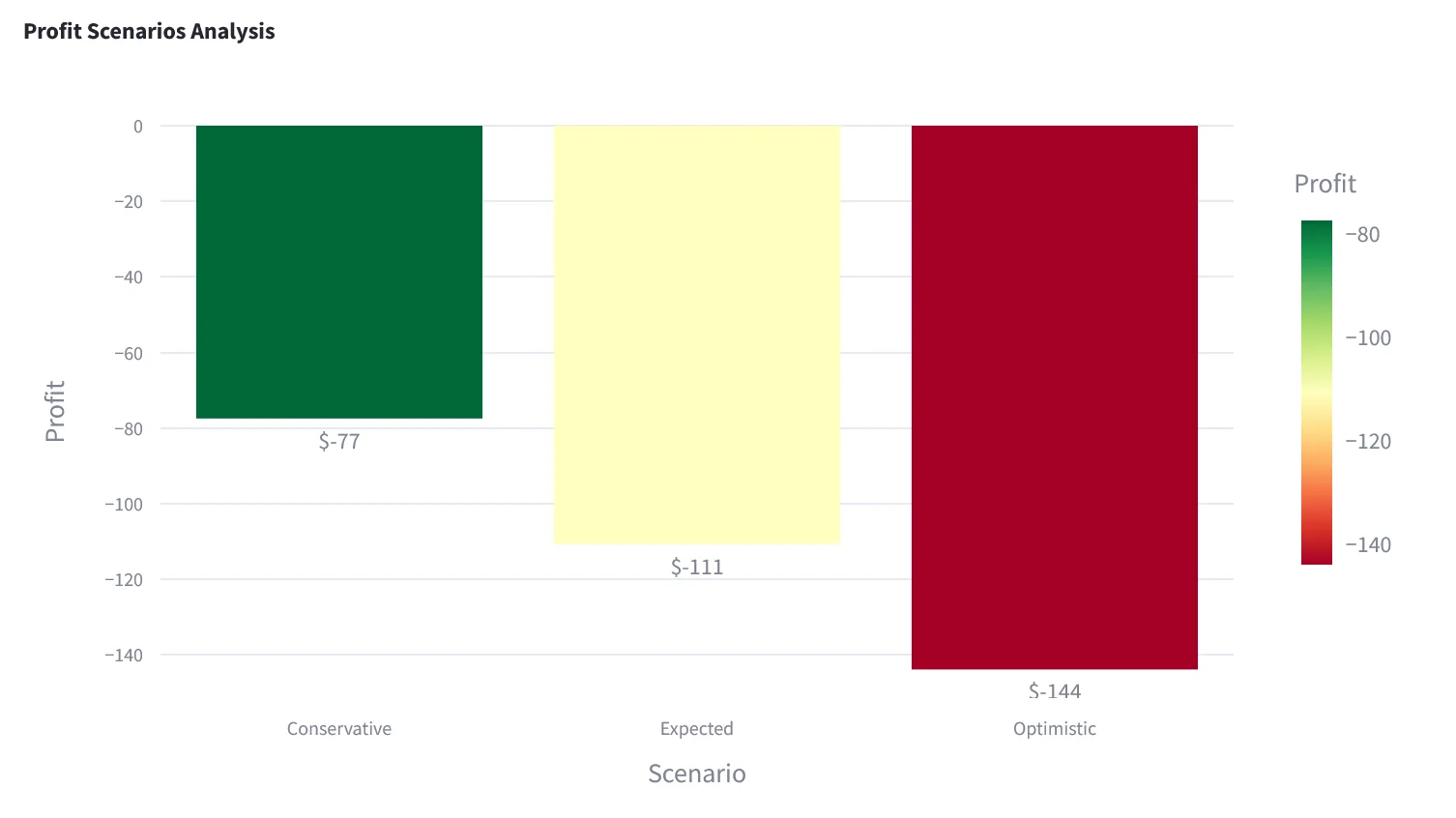
Scenario planning
Compare a high-input scenario with a lean one side by side.
- ✓
Rolls into actuals
When paperwork lands, budget vs. actual updates without re-entry.
- ✓
Export for review
Share PDF or Excel budgets with a partner, landlord, or lender.
See it in the app
Real screens from the TG360 crop analysis dashboard.
Frequently asked questions
- Can I build separate budgets for each field?
- Yes. Every budget line — seed, fertilizer, chemical, custom work, cash rent — is entered by field and crop, then rolls up to a whole-farm view.
- What crops does TG360 support?
- TG360 is tuned for corn, soybean, and wheat operations, including double-crop scenarios. Additional row crops can be tracked with custom crop entries.
- Can I compare budget vs. actual during the season?
- Yes. As invoices and bank activity post into accounting, actuals flow against the field-level budget so you can see variances by input and by field.
- Do budgets feed into my lender package?
- Yes. Projected cash flows and cost-per-acre come directly from the field-level budget, so the plan you present to the bank ties to the plan you're actually running.
Explore related features
TG360 works best as a system. See what else pairs with this.
Farm Accounting Software
Once the crop is in the ground, keep the books in the same system you planned in.
Learn more →Lender-Ready Farm Financials
Your budgets become the projection your ag lender needs for the operating note.
Learn more →Farm Financial Statements
Roll budgets into actual P&L, Balance Sheet, and Cash Flow reporting.
Learn more →Or see the full lineup on the features overview.