The 4-Step Reporting Workflow
TG360 turns the year's paperwork into the three statements every lender expects — with a workflow you can run yourself in an afternoon, not weeks.
How the 4-step workflow works
- 1
Import the tax base
Import Schedule F and Form 4562 to seed income, expense, and depreciation with tax-verified numbers.
- 2
Upload the paperwork
Drop in invoices, receipts, and bank statements. TG360 codes each entry to the right account.
- 3
Review and reconcile
A guided review flags anything that doesn't tie out. Fix it once, and it stays fixed.
- 4
Generate the statements
Produce a lender-ready P&L, Balance Sheet, and Cash Flow — PDF and Excel — in one click.
Three statements. One source of truth.
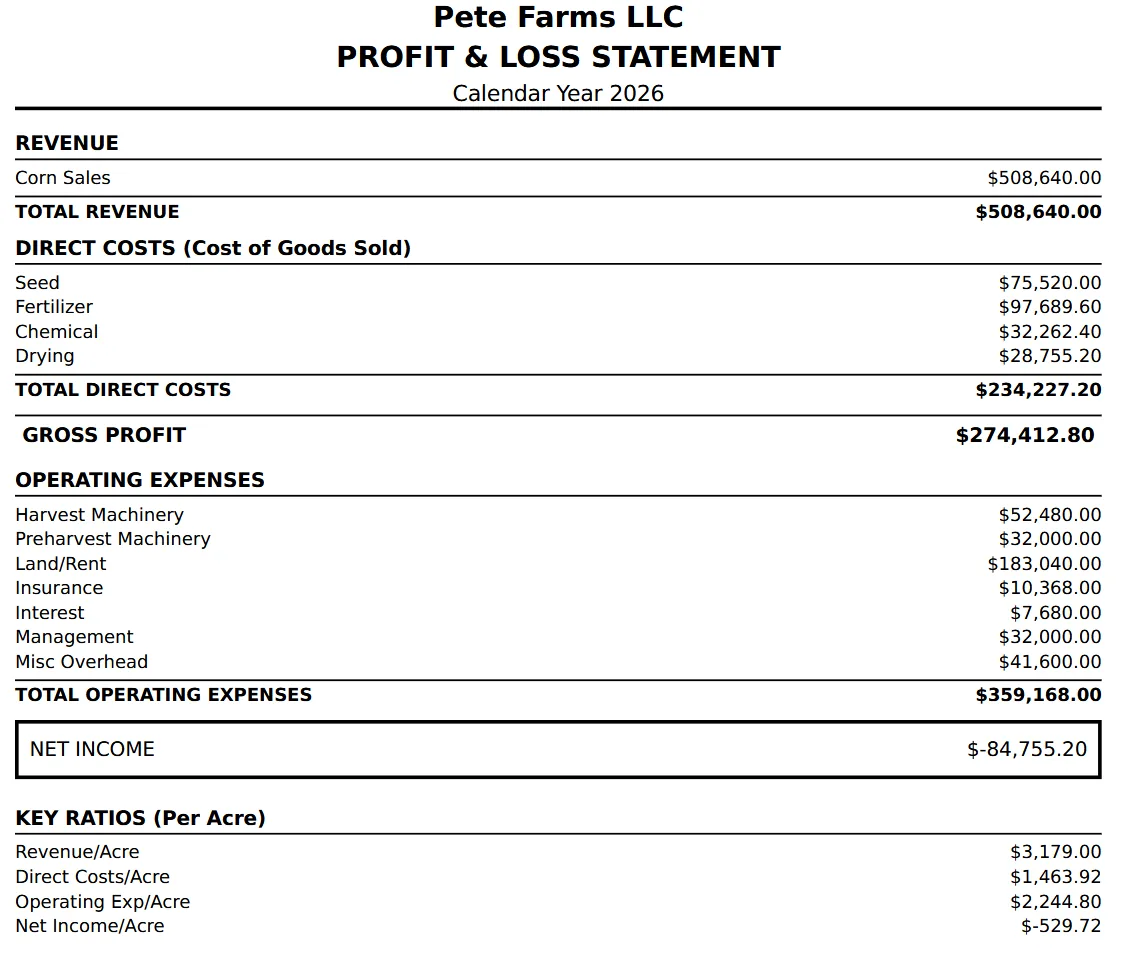
Profit & Loss. Income and expense grouped the way a farm CPA reads them — with field-level detail underneath.
Balance Sheet. Land, equipment, grain in the bin, prepaid inputs, and operating notes — kept current from your imports.
Cash Flow. A month-by-month view of cash in and cash out, so the operating line stays a plan and not a surprise.
See it in the app
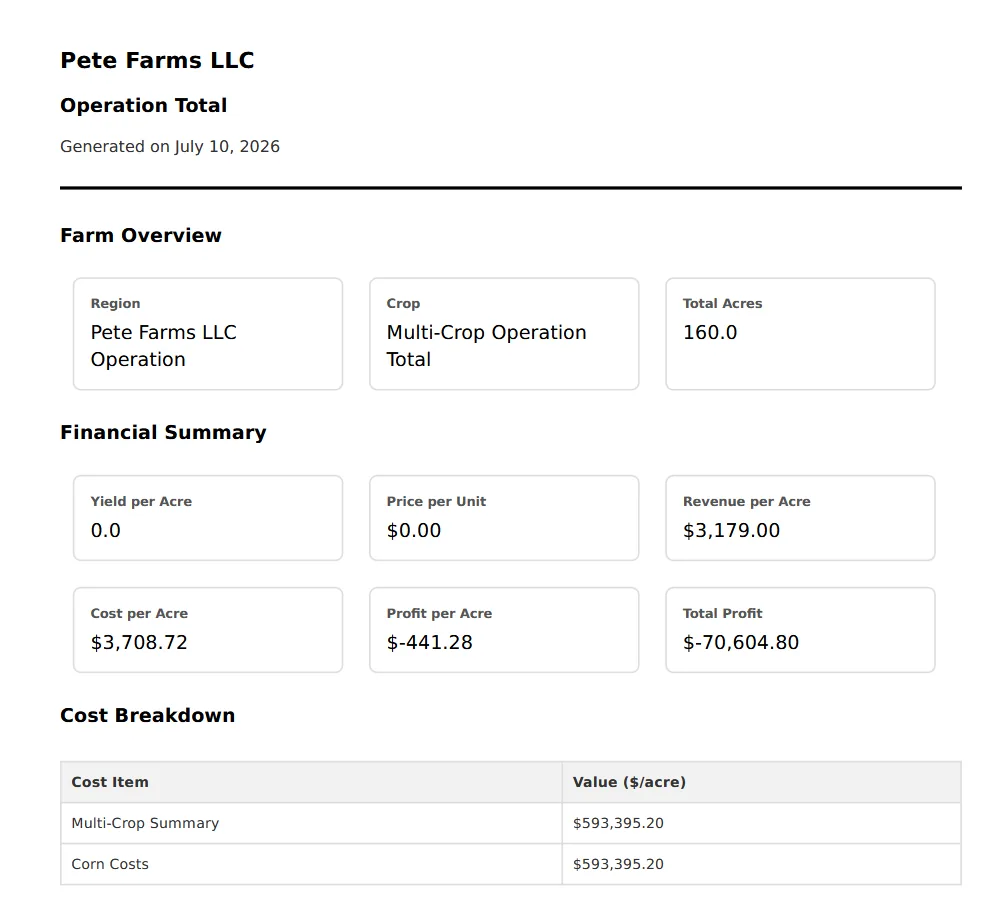
Statements generated straight from your TG360 data.
Frequently asked questions
- What statements does TG360 produce?
- Profit & Loss, Balance Sheet, and Cash Flow, plus supporting schedules. All three are generated from the same underlying entries so the numbers tie together.
- Are the statements accrual or cash basis?
- Both. You can view accrual-adjusted results for lender presentation and cash-basis for tax planning without maintaining two sets of books.
- What formats can I export?
- Every statement exports to PDF for lender packages and to Excel for CPAs and consultants who want to work with the data directly.
- How long does a monthly close take?
- Most operators complete the 4-step workflow in well under an hour once uploads and coding are in place.
Explore related features
TG360 works best as a system. See what else pairs with this.
Lender-Ready Farm Financials
Package these statements the way ag lenders expect for notes, renewals, and refis.
Learn more →Farm Accounting Software
The bookkeeping system that feeds the statements — Schedule F–aligned and field-aware.
Learn more →Schedule F Import
Start step 1 with tax-verified numbers imported straight from your filed return.
Learn more →Form 4562 Import
Import your depreciation schedule so the balance sheet ties out on day one.
Learn more →Or see the full lineup on the features overview.