Import Schedule F — Instant Tax-Verified Expense History
Your Schedule F already has years of income and expense grouped the way the IRS accepts. TG360 imports it directly, so your books start on numbers your CPA already signed off on.
Why start with Schedule F
Schedule F is the closest thing to a farm-standard chart of accounts. Importing it gives you a baseline P&L on day one — with categories that already match how you file.
What the import does
- ✓
Line-item mapping
Every Schedule F line lands in the matching TG360 account, automatically.
- ✓
Multi-year history
Bring in several years to see trends and build a real baseline.
- ✓
Ties to your return
Totals reconcile to your filed return, so your books and taxes agree.
- ✓
Ready for accrual
Adjust to accrual for lender reporting without losing the tax view.
How to import
Upload your Schedule F PDF or export from your tax software. TG360 parses the return, previews the mapping, and lets you confirm before it posts.
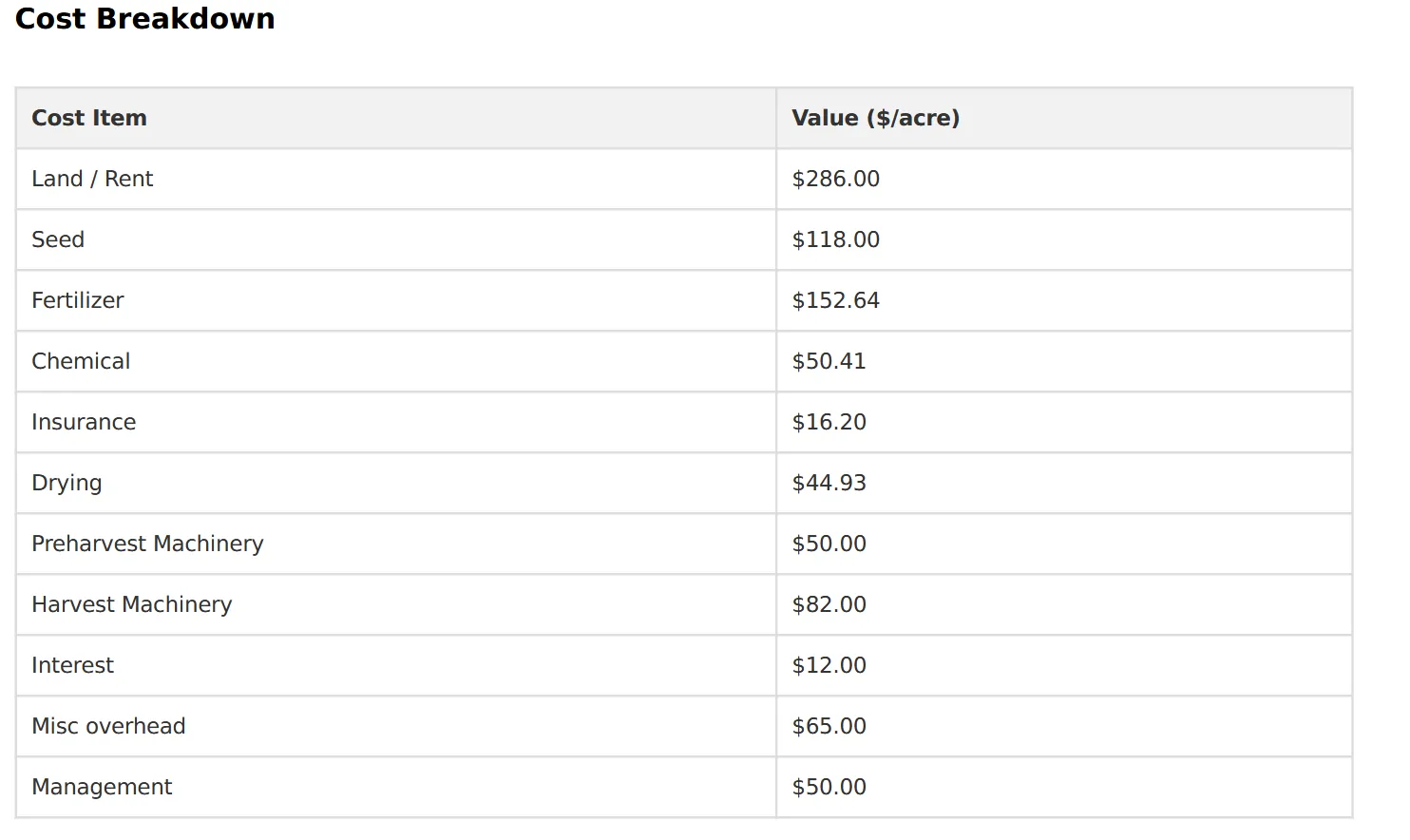
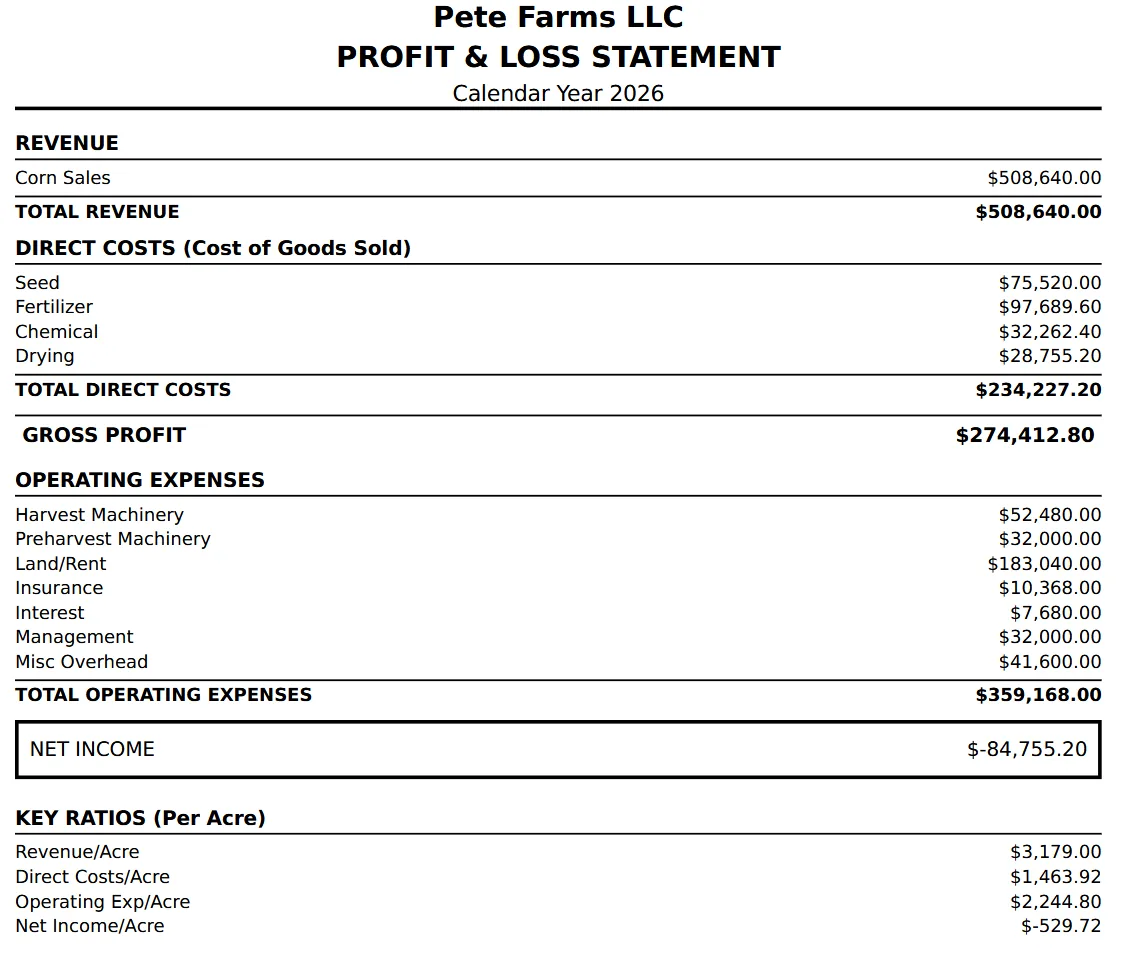
Where your Schedule F lands
Imported expense history shows up as working cost detail and finished statements.
Frequently asked questions
- What years of Schedule F can I import?
- You can import prior-year Schedule F filings to seed history and benchmarks; most operators start with the most recent 1–3 years.
- What format does the import expect?
- PDF filings from your CPA or tax software work directly. TG360 parses the standard Schedule F line items and maps them to the farm chart of accounts.
- What if my CPA used custom line descriptions?
- The import shows every line before it posts so you can confirm or adjust the mapping. Nothing lands in your books until you approve it.
- Do I still need my CPA?
- Yes. TG360 doesn't file taxes — it makes the year-round bookkeeping match the return your CPA files, so tax prep is faster and reconciles cleanly.
Explore related features
TG360 works best as a system. See what else pairs with this.
Form 4562 Import
Pair Schedule F with your depreciation schedule to complete the balance sheet.
Learn more →Farm Accounting Software
The Schedule F–aligned accounting system your import lands in.
Learn more →Farm Financial Statements
Use imported tax data as step 1 of the 4-step reporting workflow.
Learn more →Or see the full lineup on the features overview.